CAC pre-incorporation is the online process used to start a new company, business name, limited partnership, limited liability partnership, or incorporated trustee registration with the Corporate Affairs Commission in Nigeria.
Many people hear “pre-incorporation” and assume it only applies to limited companies. In practice, the phrase is often used for the front-end registration process before a new entity is approved and issued its certificate or status report.
This guide explains what CAC pre-incorporation means, how the process works on the CAC iCRP portal, what documents you should prepare, what an AV code means, why applications get queried, and what to do after approval.
Already registered with CAC?
Add your business profile so customers can find your category, location, contact details and services on MyNigeriaBusiness.NG.
What is CAC pre-incorporation?
CAC pre-incorporation is the stage where a proposed business is created and submitted for registration before it becomes an approved entity in CAC records.
At this stage, you usually handle name reservation, business classification, owner or director information, registered address, share capital or ownership details where relevant, document upload, payment and submission.
Once the application is approved, CAC can issue registration documents such as a certificate and status report, depending on the entity type.
Who can use CAC pre-incorporation services?
CAC states that any member of the public can create a public user account, but that public user access is for pre-incorporation services. This matters because many small business owners can start simple registrations themselves, while more complex entities may require or benefit from professional help.
For example, a simple business name may be easier for a proprietor to handle than a company limited by guarantee, incorporated trustee, limited partnership, or structure with many shareholders and directors.
Before you start: choose the right registration type
Do not begin by choosing the cheapest option. Begin by choosing the structure that matches how the business will operate.
- Business name: often used by sole proprietors, small businesses, trading names, freelancers, artisans, shops and partnerships.
- Private limited company: often used when the business needs a separate legal structure, directors, shareholders and stronger corporate identity.
- Incorporated trustee: used for NGOs, religious bodies, clubs, foundations, associations and similar non-profit structures.
- LP or LLP: used for partnership structures where the legal and tax implications should be reviewed carefully.
If you choose the wrong structure, you may later need changes, new filings or professional advice. For serious businesses, it is better to ask questions before submission than to correct avoidable mistakes after approval.
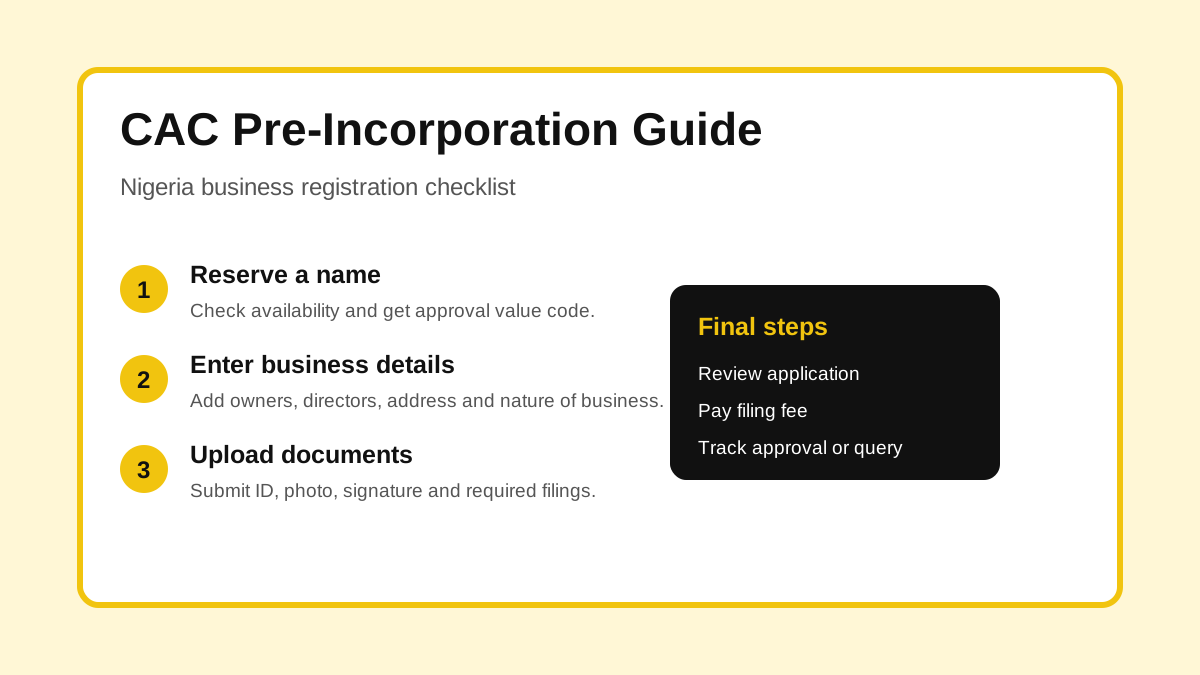
CAC pre-incorporation steps in Nigeria
1. Create or access your CAC iCRP account
Start from the official CAC iCRP portal. A public user can create an account for pre-incorporation services. Accredited agents and entity accounts have their own access paths.
Use your real details and an email address you can access. CAC queries, approval updates and portal notices may depend on the information in your account.
2. Reserve or check the proposed name
Name reservation helps CAC check whether your proposed name can be used. On the iCRP FAQ, CAC describes name reservation as a process where users select a business classification, choose a business type, enter a proposed name, select the nature of business and check availability.
If the name is available, you can continue to payment. If it is unavailable, you may need to update the name or choose another suggestion.
Names that include restricted words, regulated terms or sensitive references may need consent or manual review.
3. Get your AV code
After name approval, the application usually continues with an availability or approval value code, often called an AV code. CAC’s iCRP FAQ explains that for business name registration, users enter the AV code from name reservation when starting the registration step.
Keep this code safe. If you lose track of your application details, it can slow down the process.
4. Fill in the registration details
The details depend on the entity type, but they can include:
- Business or company name
- Email address
- Business address or registered office
- Date of commencement for business names
- Nature and specific nature of business
- Proprietor, partner, director, shareholder or trustee details
- Share capital or ownership details where relevant
Use consistent spelling. A mismatch between names, addresses and uploaded documents can trigger delays or queries.
5. Upload required documents
For business name registration, CAC’s iCRP FAQ mentions uploads such as means of identification, passport photograph and signature for each proprietor. Other entity types can require different documents.
Do not upload blurry files. Make sure each document is readable, correctly named and linked to the right person or section of the application.
6. Review before payment
Before you pay, review the application like a third party will read it. Check spelling, business name, owner details, registered address, email address, phone number, document uploads and business activity.
Small mistakes can create bigger problems later. A wrong name, wrong address or wrong owner detail can affect bank account opening, vendor onboarding and business verification.
7. Pay the filing fee
CAC’s business name page points users to the official fee schedule and says filing fees are paid during the online process. Use official CAC payment channels from the portal and keep your payment record.
If payment succeeds but the application does not move forward, check the portal status and support guidance before starting a duplicate application.
8. Track approval, query or rejection
After submission, monitor your dashboard. CAC’s iCRP FAQ describes statuses such as pending, queried and approved for business name registration.
If your application is queried, open the query history, read the reason carefully, correct the issue and resubmit. Do not guess. Fix the exact problem CAC raised.
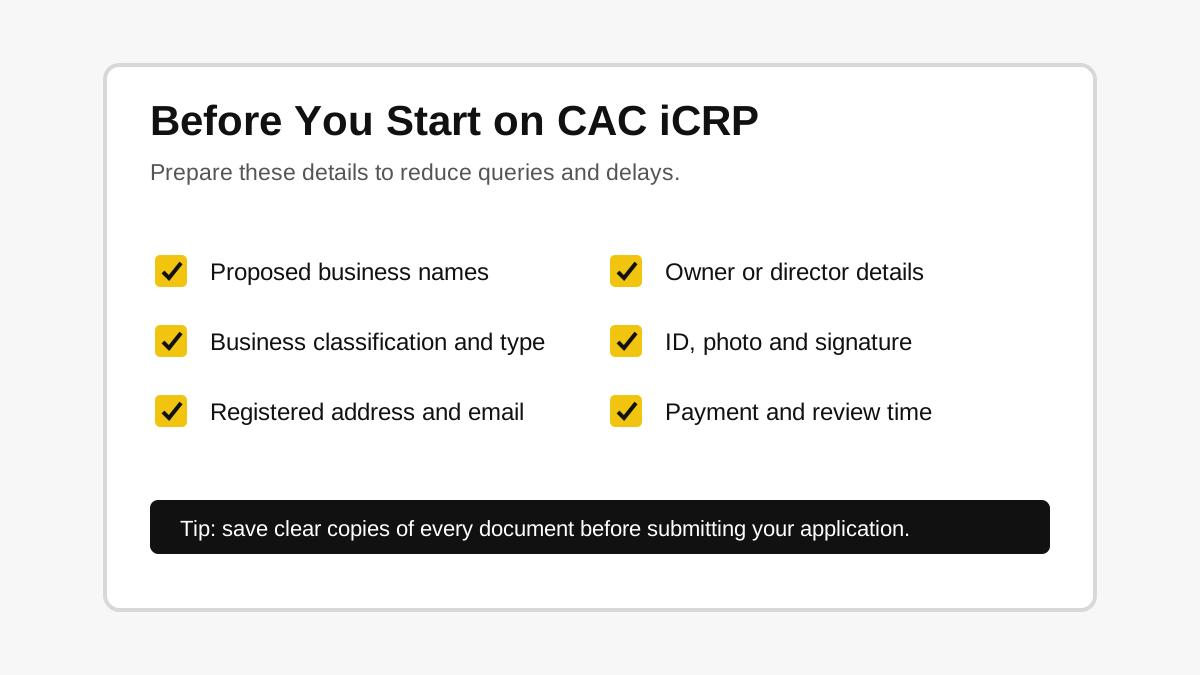
Documents and details to prepare
Before you begin, prepare the following where relevant:
- Two or more proposed names
- Business classification and business type
- Nature of business
- Registered address
- Email address and phone number
- Owner, proprietor, director, shareholder, partner or trustee details
- Means of identification
- Passport photograph
- Signature image
- Payment details
- Professional advice for complex structures
Common CAC pre-incorporation mistakes
Using a name that is too close to an existing entity
Search before reserving a name. If your preferred name is already registered or too similar to another name, choose another option early.
Choosing the wrong entity type
A business name is not the same as a limited company. An incorporated trustee is not the same as a commercial business. Choose based on the legal purpose, not just speed.
Uploading unclear documents
Blurry identity documents, cropped signatures, wrong file types and mismatched names can trigger avoidable queries.
Ignoring restricted words
Some words may require consent or regulator involvement. Names that imply banking, insurance, government, chamber, cooperative, school, hospital or professional regulation should be handled carefully.
Not checking the application preview
The preview stage is your last simple opportunity to catch mistakes before submission. Read every section before payment and final submission.
What happens after CAC approval?
After approval, download and keep your registration documents. Depending on your entity type, you may receive a certificate and status report or equivalent registration information.
After registration, many businesses also need to:
- Get or verify tax identification details
- Open a business bank account
- Set up invoices, receipts and contracts
- Register with sector regulators if required
- Add the business to credible directories
- Create a website, Google Business Profile or public contact page
Make your registered business easier to find
After CAC registration, add your business category, location, services, phone number and website to MyNigeriaBusiness.NG.
How this connects to company code, RC number and BN number
Pre-incorporation is the process before approval. After approval, CAC assigns registration details that identify the entity.
A limited company usually receives an RC number. A business name receives a BN number. An incorporated trustee receives an IT number. If you are not sure what these mean, read our guide to company code in Nigeria, RC number and BN number.
Frequently asked questions
What is CAC pre-incorporation in Nigeria?
CAC pre-incorporation is the online process used to reserve a name, fill registration details, upload documents, pay fees, submit an application and receive approval or query feedback before a Nigerian entity is registered.
Can a public user register a business on CAC iCRP?
Yes. CAC states that any member of the public can create a public user account for pre-incorporation services. Some filings may still require professional guidance or an accredited agent.
What is an AV code?
An AV code is connected to name reservation approval and is used to continue the registration process. Keep it safe after name reservation.
What documents do I need for CAC registration?
The documents depend on the entity type. For business names, CAC’s FAQ mentions means of identification, passport photograph and signature for each proprietor. Other structures may require different documents.
What happens if CAC queries my application?
Open the query history, read the reason, correct the affected field or document and resubmit through the portal.
Should I list my business after CAC registration?
Yes, if you want customers to find your services online. A directory profile can show your business name, category, location, contact details, website and service description.
Official links and useful resources
- CAC homepage: https://cac.gov.ng/
- CAC company registration: https://cac.gov.ng/services/company-registration
- CAC business name registration: https://cac.gov.ng/services/business-name
- CAC iCRP public user account: https://icrp.cac.gov.ng/auth/new-account/register-public-user/
- CAC iCRP FAQ: https://icrp.cac.gov.ng/support/faq/
- Company code guide: Company code in Nigeria
- Find businesses in Nigeria: https://mynigeriabusiness.ng/find-a-business
- List your business: https://mynigeriabusiness.ng/register
Explore the Nigeria business directory
Use MyNigeriaBusiness.NG to find businesses, compare profiles, or create a complete listing for your own company.
Leave a Reply